Zoom Clips
Project Name
Brander Software
Headquarters
New York, US
Industry
Software development
Company Size
51 — 200 employees
Timeline
Jan 15 - Dec 20, 2023
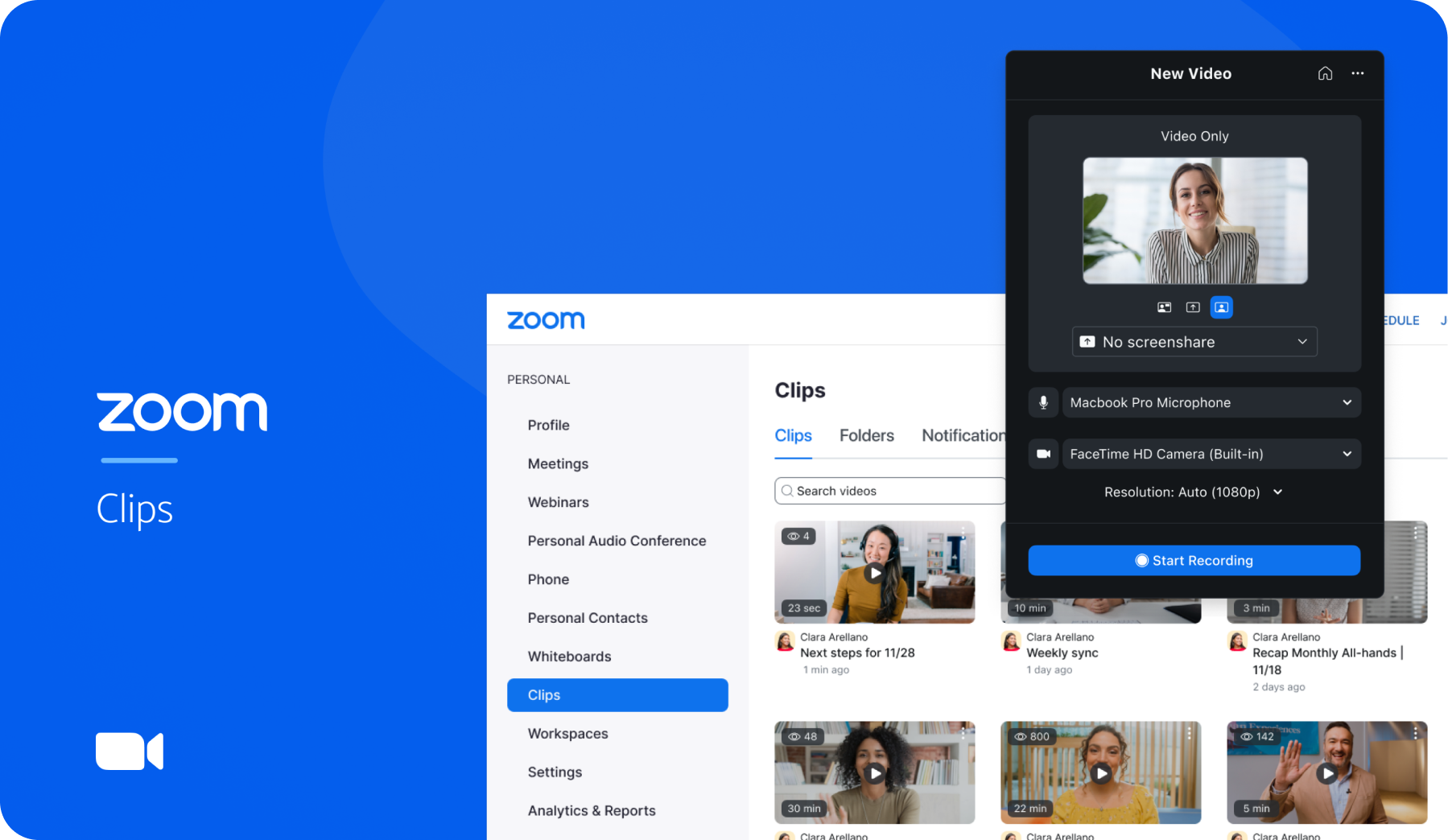
Project Hero Image

Impact

Led product vision, architecture and design. Defined the MVP (minimum viable product) - which led to a fully staffed team. Read what Wired wrote about Clips!

Introduction

Zoom is a video conferencing platform allowing users to connect online for video meetings, webinars and live chat. As hybrid work has increasingly become the standard in a post-pandemic world, Zoom’s direction moved towards more collaborative products

Problem

While Zoom Meetings allowed for Cloud recordings, there was not an easy way to share shorter Clips meant for asynchronous communication.

Goal

To create a feature which allows for quick video sharing and screen-recording outside of a meeting

My role

  • Led product and design effort as first team member (and only team member for first 3 months)
  • Define design and engineering needs for MVP and post MVP
  • Defined product placement across the Zoom platform

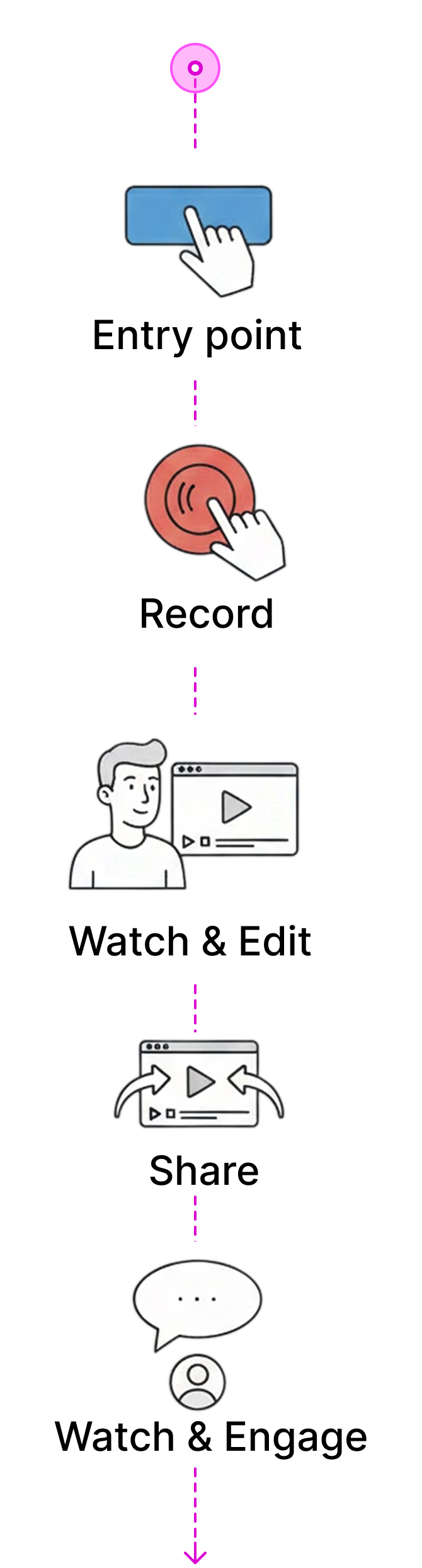
UX Summary

What is the experience? To summarize:

Use cases

While working on Clips, there was an existential question on “why Clips?” More specificially - what is the difference between a Clip and a Cloud recording (a recording of a Zoom Meeting)

Missed meetings

Recordings: entry point inside a meeting

  • Assume users will use to record multiple participant meetings
  • Assume recordings are meant for a “missed” event rather than a form of communication
  • Meant as a form of spectating event
  • Assume users will use video

Async meetings

Async video: entry point of the recorder is external to the meeting

  • Assume user will use smaller clips for messaging communication
  • Assume users will want additional integrations (chat, email, etc)
  • Assume users will usually use screen share and video

Knowledge share

Broad knowledge sharing: entry point is external to the meeting

  • Assume recorded event is meant for spectating
  • Assume broad sharing
  • Assume users will usually use screen share and video

Clip's identity

Zoom's clips would solve for the use cases of 2 and 3, while Meeting's and it's recordings solve for use case 1.

Clip's prototype

Prototype of MVP experience

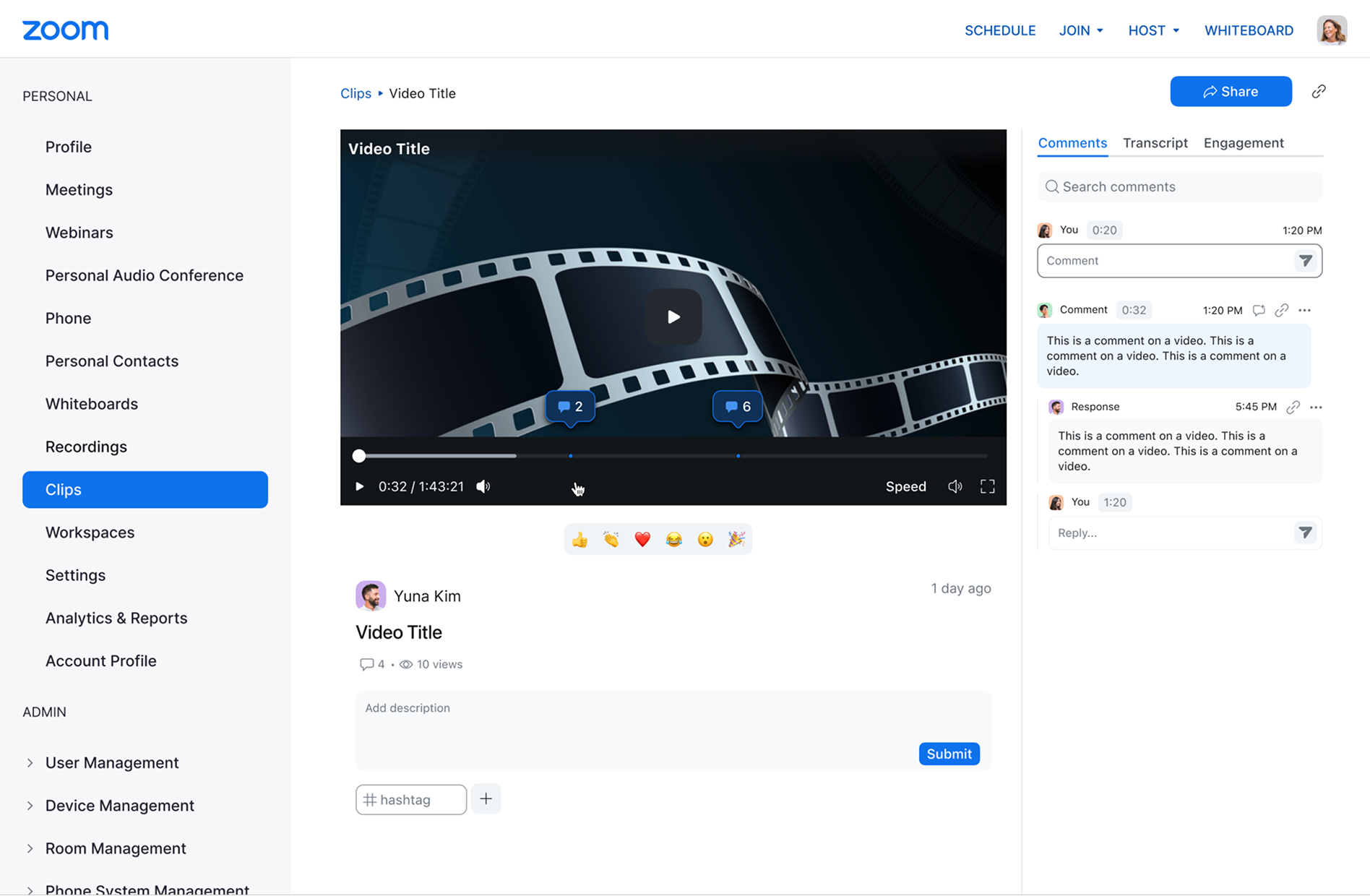
Watch and engage

Showing the video with comments

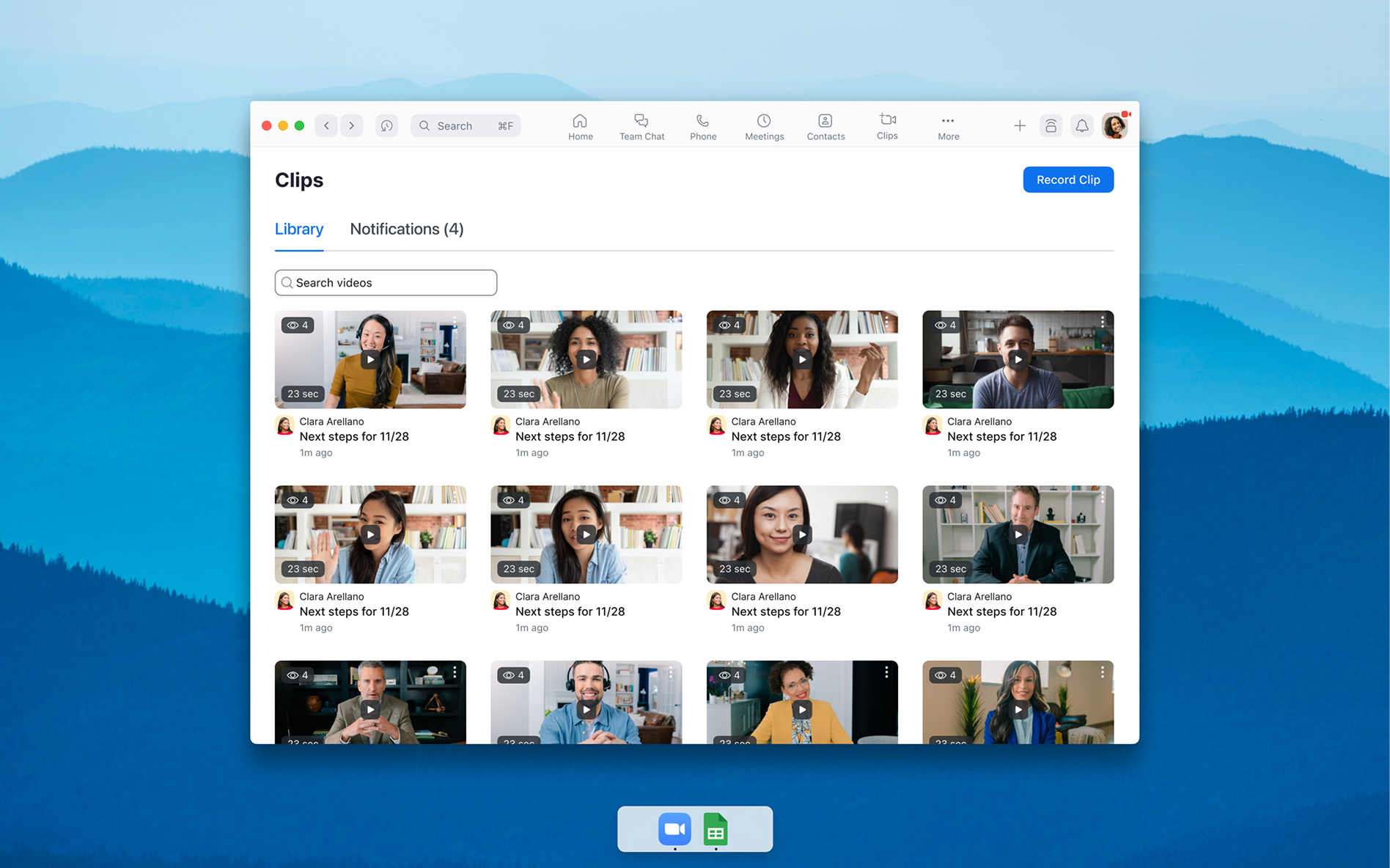
Library

Clips within the zoom client

Feedback

Tested the feature internally. Feedback came back in the form of a chat channel. Overall the feedback was positive:

  • OMG I LOVE CLIPS
  • Hi team - I just used clips for the first time. Love it!! I use it all the time. I used to do it with Loom...
  • Wow - very impressed with the first version of Clips, great work everyone.

Constructive criticism

While the overall user experience was positive, there were requests on some improvements

  • Sharing was defaulted to private - this was not intuitive as the main use case was to immediately share the Clip. The clip could not be viewed unless permissions were changed
  • Due to technical requirements - video settings were split between the Meeting’s video settings and the Clips video settings. This caused some confusion to users, especially around background noise suppression
  • Other users requested more customization with the Clips including custom thumbnail uploading and other video customizations

Media reception

Take a look at what the media has written about it!

Solutions

While Zoom Meetings allowed for Cloud recordings, there was not an easy way to share shorter Clips meant for asynchronous communication.

Outcome

To create a feature which allows for quick video sharing and screen-recording outside of a meeting

project-image
project-image
project-image

Related Projects

project thumbnail image
View
Project
Synergy
This is some text inside of a div block.
Implemented user research and testing to create a visually appealing and highly functional interface that increased user engagement and sales.
project thumbnail image
View
Project
Sphera
This is some text inside of a div block.
Implemented user research and testing to create a visually appealing and highly functional interface that increased user engagement and sales.